
matrix chat
matrix is open source chat service that can connect and bridge itself to discord, reddit, irc, random discussion forums, and pretty much anything. it works as if it's like a connected web, hence the name 'matrix' :)
my matrix instance offers bridges into other popular chat applications. it's designed this way specifically to interface with prorprietary software that i considered to be incompliant to privacy & security & common communication standards, so that my users can stay safe in their homeserver while maintaining the capability to talk to other folks from 'big bat corp' software. the bridges are tools to help me and my users transition from proprietary software to open standard software.
on the ui side, it's pretty similar to discord, or slack, or maybe microsoft
teams ¯\_ツ_/¯.
btw, here is a pretty helpful video tutorial, explaining how everything works in details. (just in case reading my article doesn't help enough)
registering an account
to use matrix, a matrix account is needed. this process is similar to registering an new email account. first step is to find a matrix instance to call home, and then register an account on there. regardless which instance the matrix account is registered at. communication can reached to all network.
in terms of finding a homeserver, i recommend finding a local matrix instance near where you live, or find a matrix sysadmin you know and trust. most of them are free, some aren't. for example, my matrix homeserver isn't free. as long as you can reasonably trust the homeserver's sysadmin, it is okie-dokie.
registering an account is pretty simple. just download the matrix client app, select create account to begin. the client app will offer the option to choose a homeserver, if you have a trusted homeserver, input its url to begin. and then follow the instructions from the app to complete the entire registration process.
this whole registration process is the same as signing for any software services online, except there is this additional step for choosing which homeserver to call 'home'.
how do i use this damn thing?
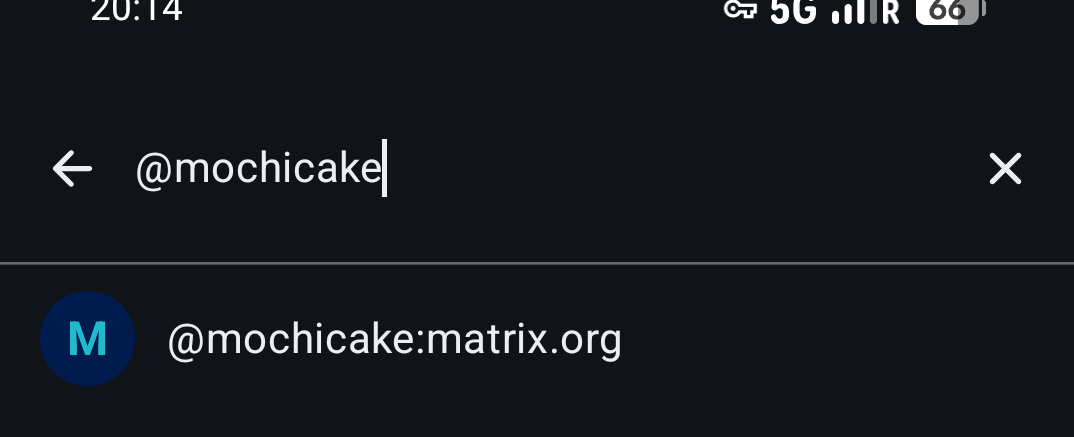
once you have an account, you can finally use it to talk to anyone on this
planet. first, you will need to know their matrix id. this is similar to how
you'll need to know someone's phone number before calling them. a matrix id is
formatted like @<username>:<homeserver_host>, for example, my matrix id
would look like... the picture above.
first, let's try join a chatroom. for example, here is a chatroom about pets .
you can use matrix as it is, which is talking with other matrix users online. but... what's the fun in that if you only talk to people inside of the matrix network?
how about peeking outside of matrix? 😛
for example, if you near portland, let's join a portland irc channel
#_snoonet_#portland:matrix.org. what if you are interested in homelab
technology like i do... how about joining the proxmox forum?
#proxmox:codestorm.net?. so this is what i meant by 'non-walled garden', it
just connects / bridges itself to anything without signing up for hundreds of
different accounts :)
why some chatrooms look so empty?
cuz chatroom creators set them that way so that random strangers wont be coming in and out of public chatroom to peak at everything we posted in the past. this may seem odd, but it's done this way because ppl care about their own privacy :) so....... go say hi?
any downsides from using / adopting matrix?
meh... the matrix project started itself ok-ish, but the foundation members became greedy. recently matrix admitted their mistakes and wanted turn around, etc. it's like a kpop drama...
anyhow, this linked article from matrix foundation hopefully can help readers navigate to where this technology and software foundation stands.
is matrix a good software to use despite its downsides?
yep. that's the beauty of a open source protocol. it's almost like cockroaches. it wont die. while it isn't perfect, but this software will stick around and slowly make mini mini improvements over time.